---
title: How to Connect Transend with Mitchell1
description: Connecting to Mitchell1 Manager SE is easy.
---
[Skip to content](https://resources.transend.us/help-center/mitchell1#main-content)
[Contact us](https://resources.transend.us/help-center/kb-tickets/new?hsLang=en)
[](https://resources.transend.us/help-center?hsLang=en)
- Additional Resources
Show submenu for Additional Resources
- [Transend Resource Center](https://resources.transend.us/help-center)
- [Video Library](https://transend.us/content/video/)
- [Warranty Support](https://resources.transend.us/warranty-support)
Open main navigation
Close main navigation
- Additional Resources
Show submenu for Additional Resources
- [Transend Resource Center](https://resources.transend.us/help-center)
- [Video Library](https://transend.us/content/video/)
- [Warranty Support](https://resources.transend.us/warranty-support)
- [Contact us](https://resources.transend.us/help-center/kb-tickets/new)
- [Visit Transend](https://transend.us/)
[Visit Transend](https://transend.us/)
How can we help you?
- There are no suggestions because the search field is empty.
1. [Transend Resource Center](https://resources.transend.us/help-center?hsLang=en)
2. [Getting started](https://resources.transend.us/help-center/getting-started?hsLang=en)
3. [System Connections](https://resources.transend.us/help-center/getting-started?hsLang=en#system-connections)
April 18, 2025
# How to Connect Transend with Mitchell1
## If Mitchell1 Manager SE is the system you use no worries. Connecting your Transend account is easy.
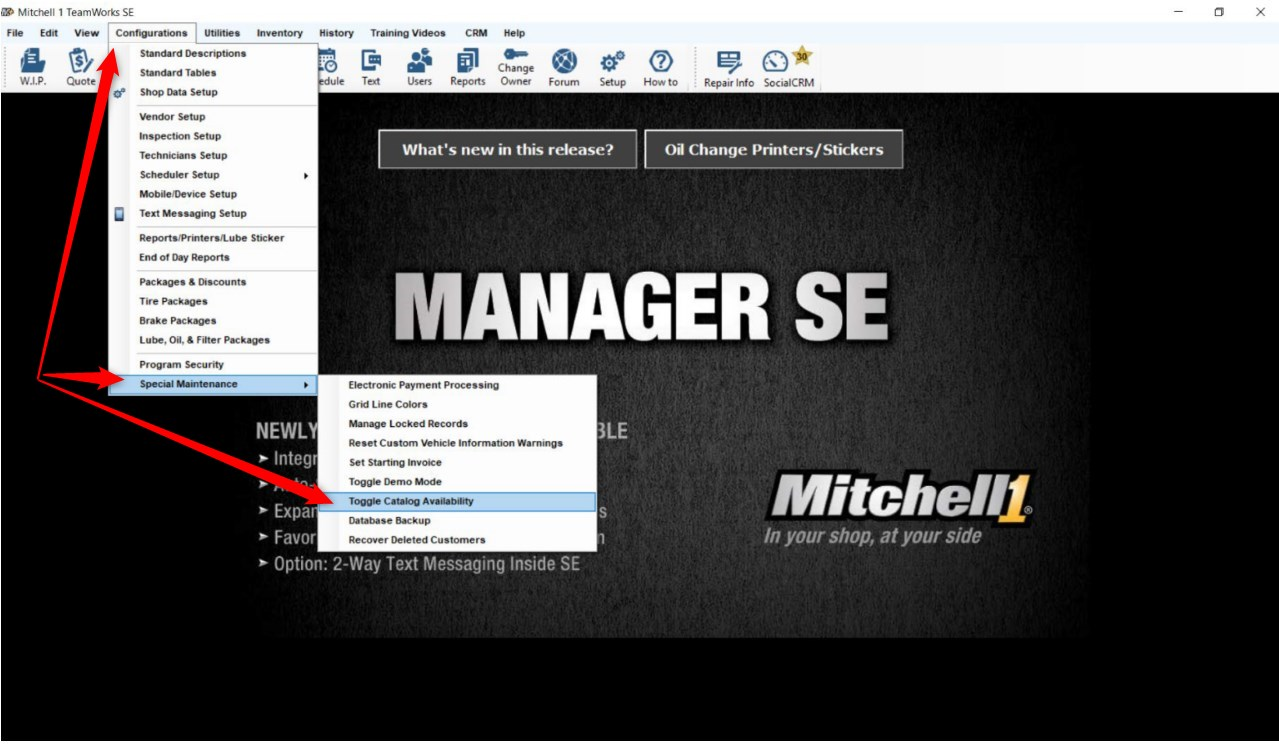
- Under the "**Configurations"** tab select "**Special Maintenance"** \> "**Toggle Catalog Availability"**
***Note:** You must be on the home page to set up the catalog*
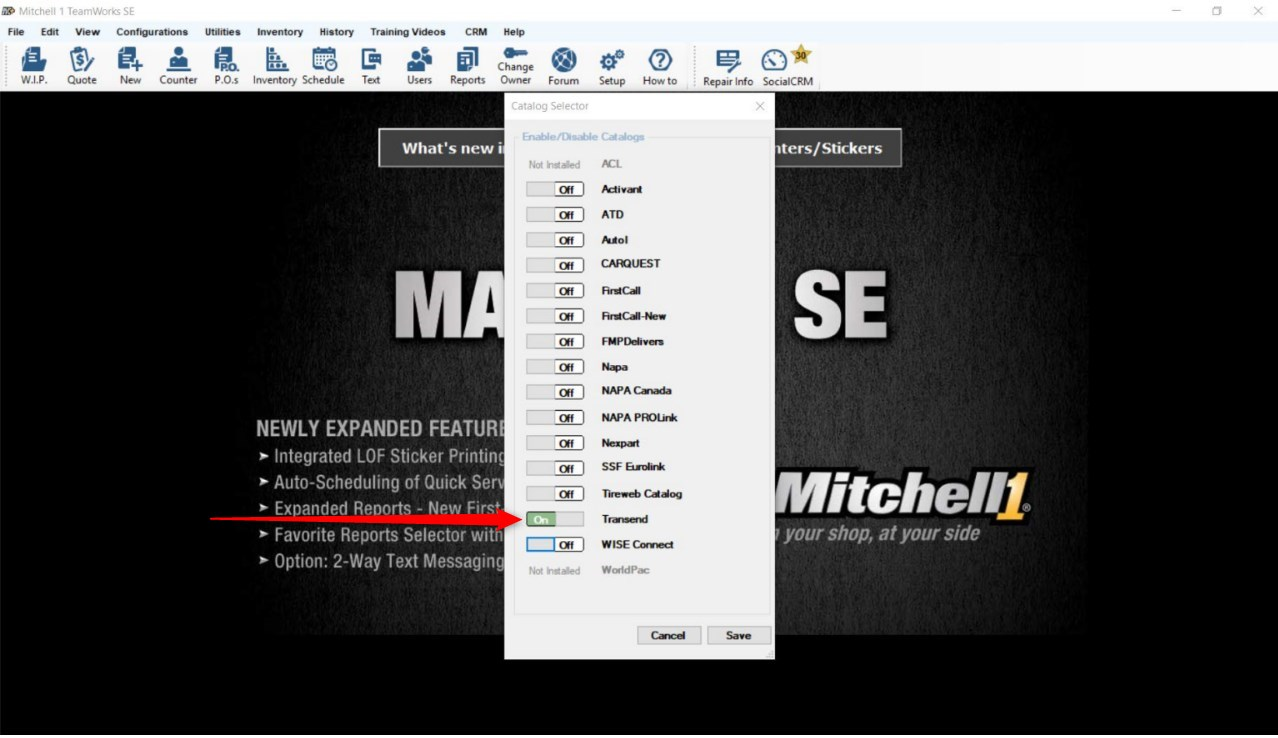
- Click the Transend switch to "**On"** to make it available and click "**Save"**
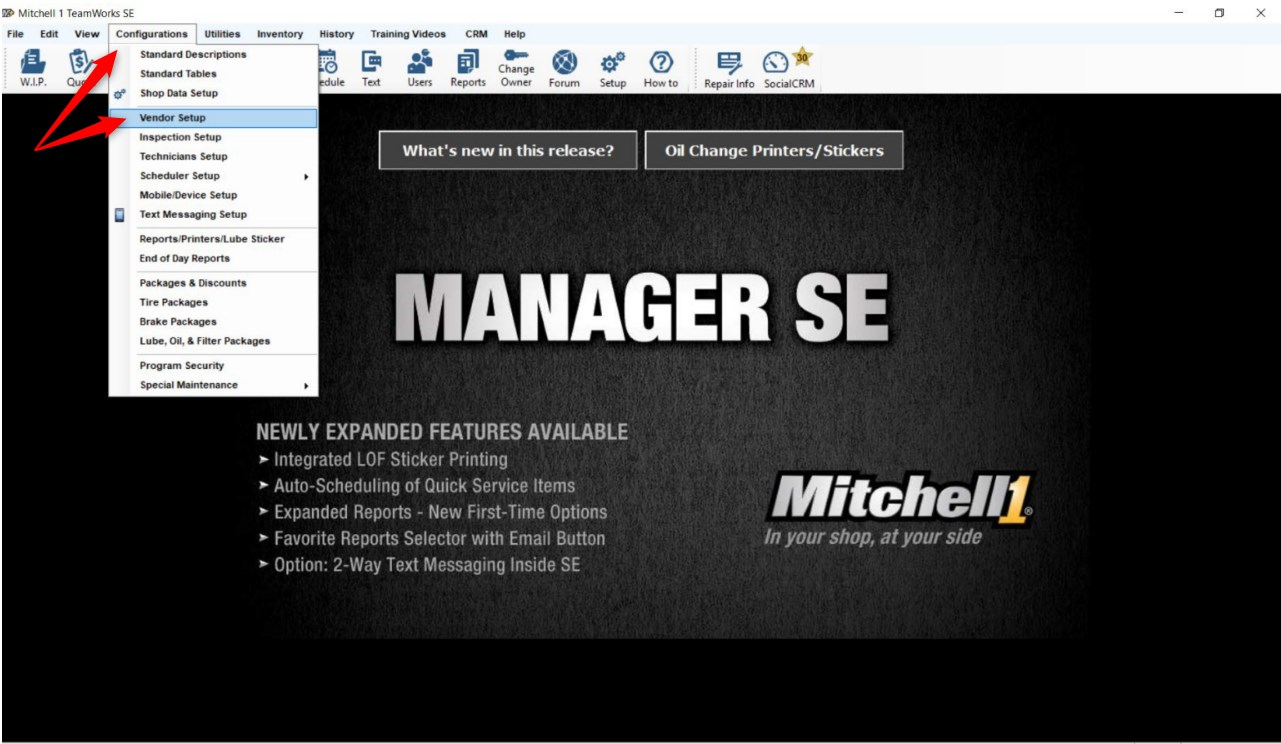
- Return to the "**Configurations"** tab and select "**Vendor Setup**"
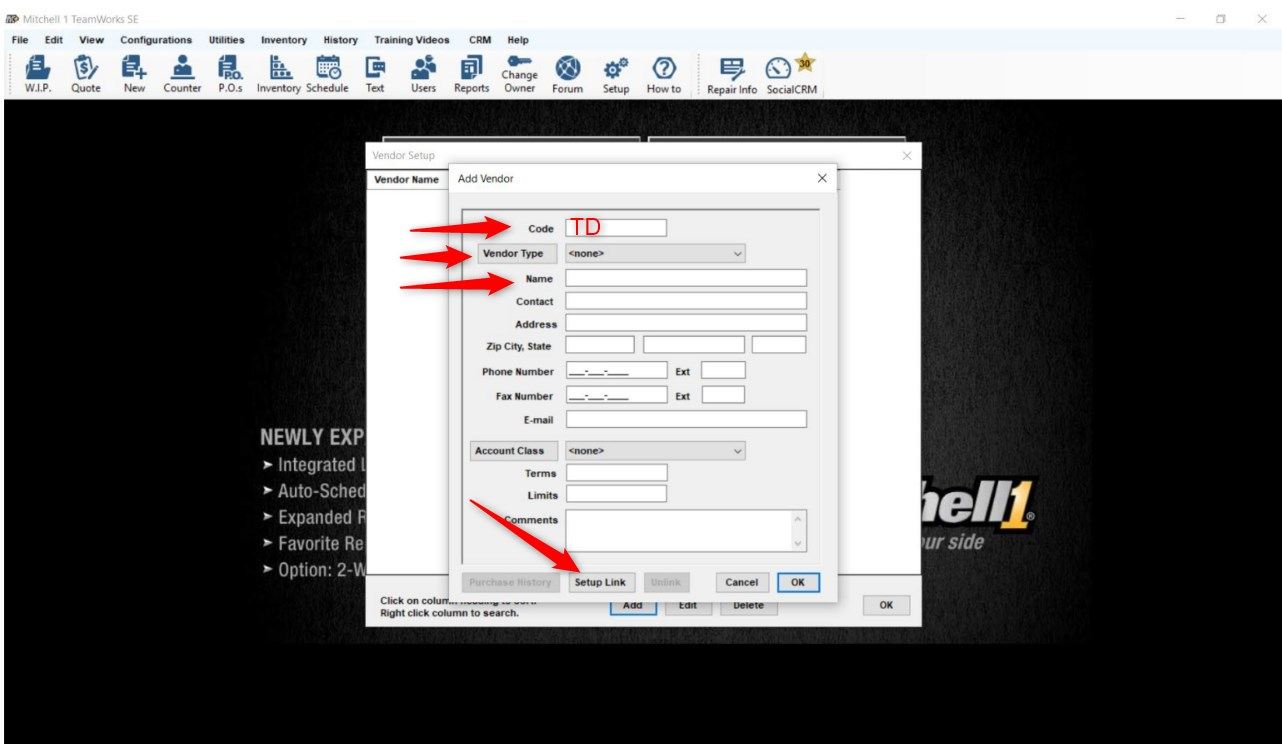
- Click "**Add"**
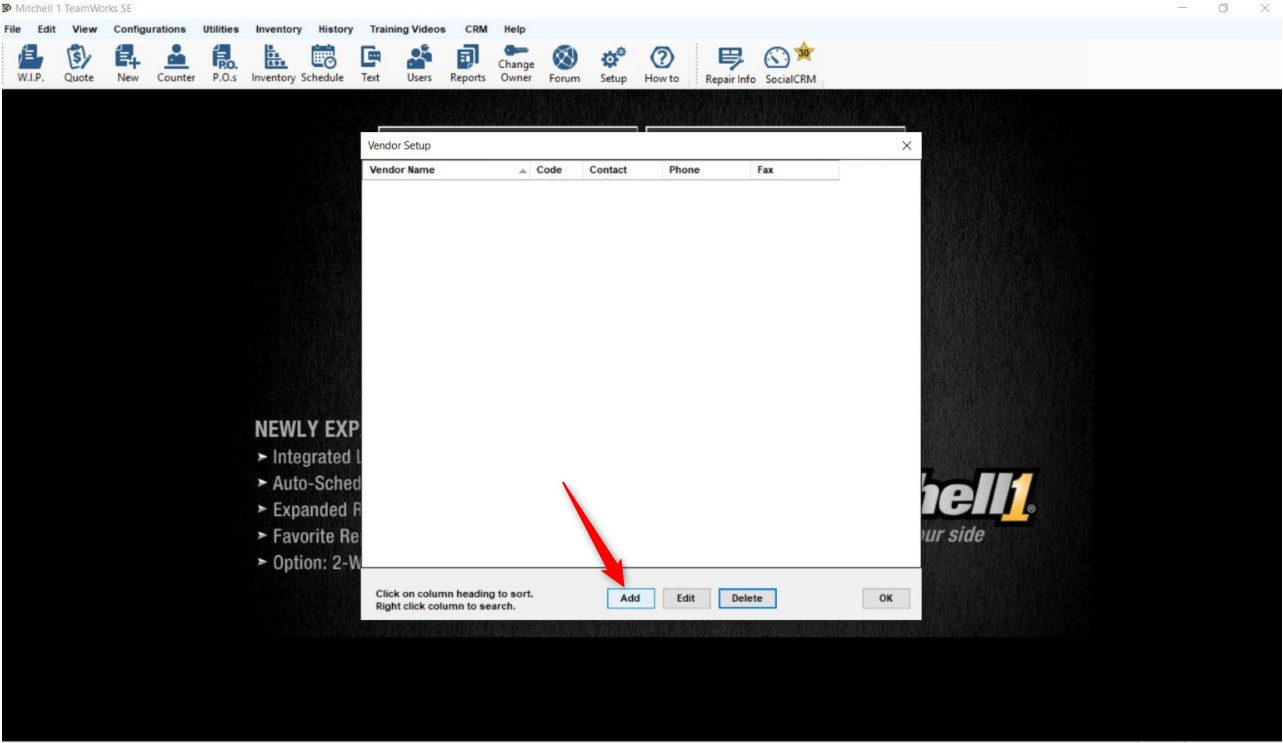
- Enter the Code "**TD"**, select the "**Vendor Type"**, and input the "**Name"** click "**Setup Link"**
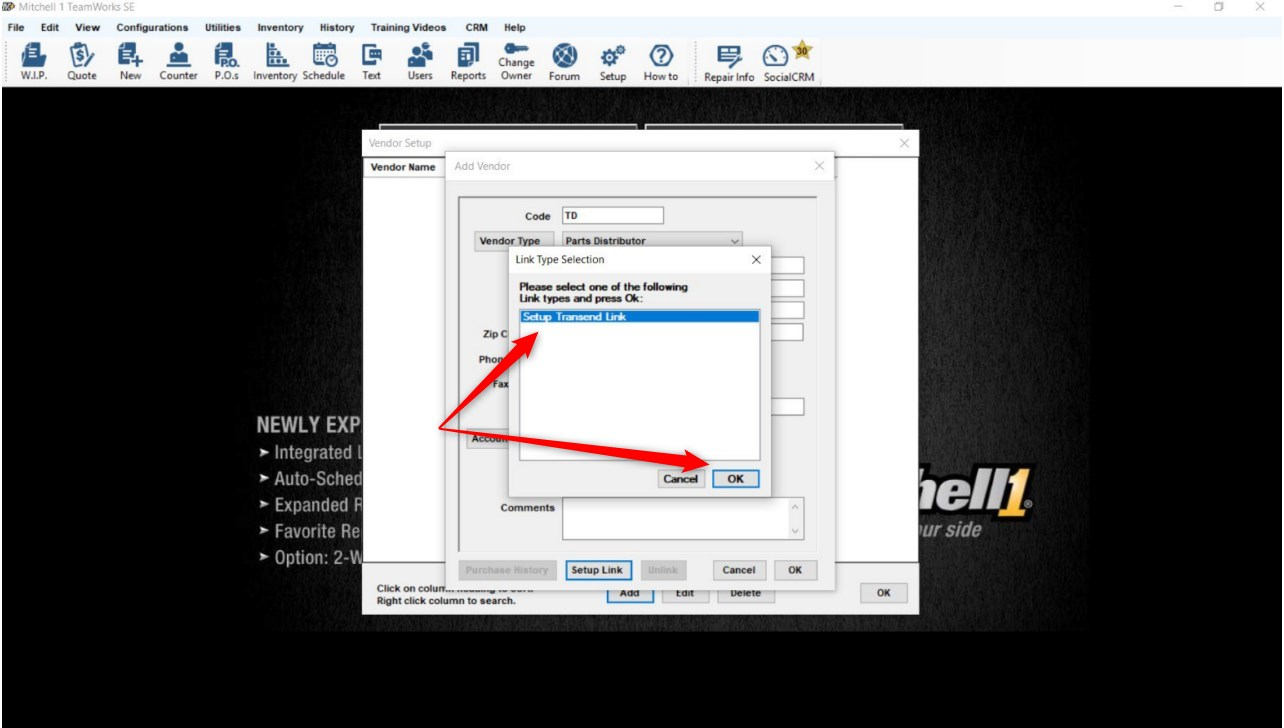
- Select "**Setup Transend"** Link, and click "**OK"**
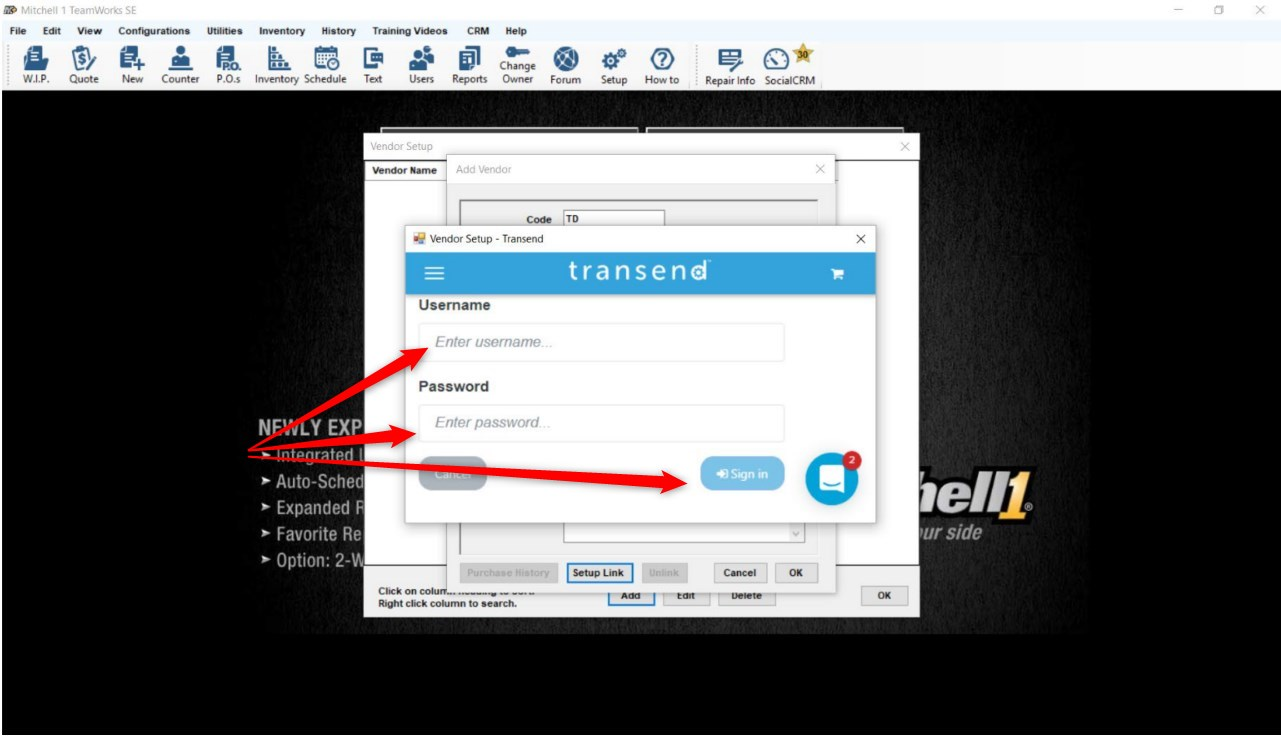
- Enter your Transend "**Username"** and "**Password"**, click "**Sign in",** click "**OK"** to save
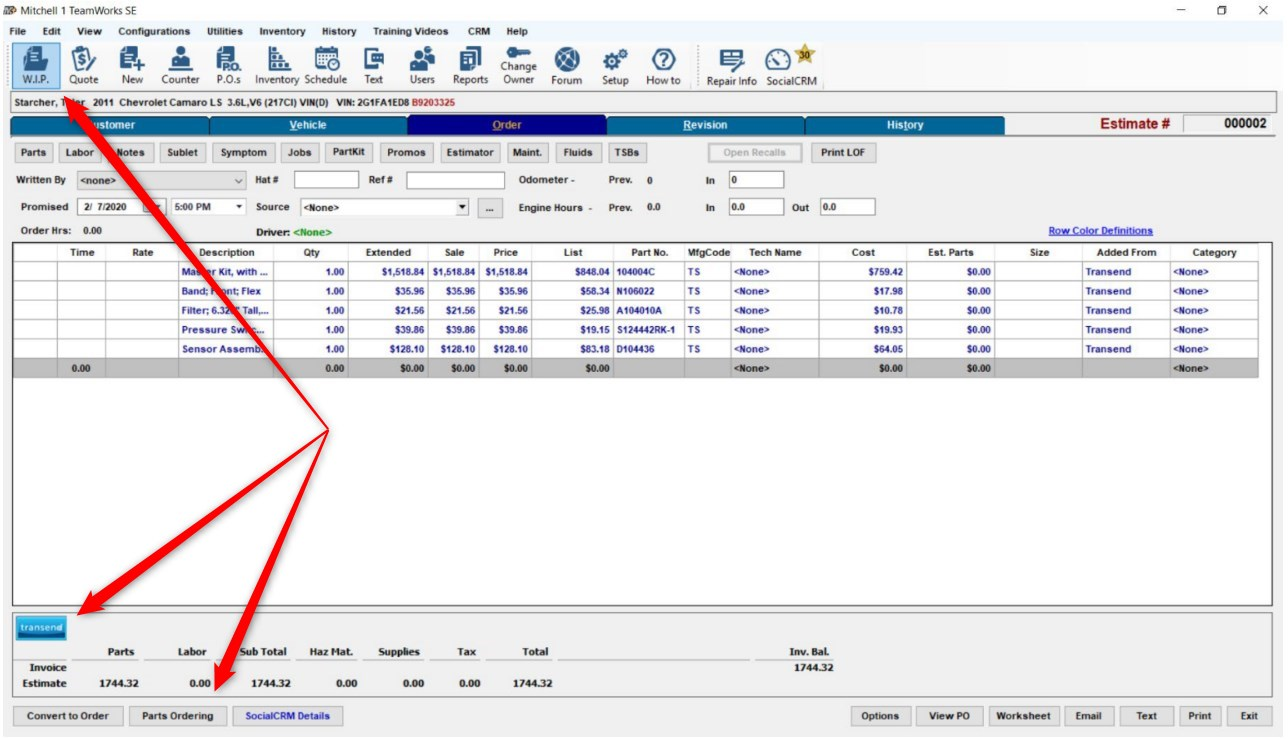
- Your account is now connected and you will see the "**Transend**" button at the bottom left of your screen
Need assistance? Contact Transend Support at [support@transend.us](mailto:support@transend.us)
- [Getting started](https://resources.transend.us/help-center/getting-started?hsLang=en#main-content)
- [Account Setup](https://resources.transend.us/help-center/getting-started?hsLang=en#account-setup)
- [System Connections](https://resources.transend.us/help-center/getting-started?hsLang=en#system-connections)
- [Account](https://resources.transend.us/help-center/account?hsLang=en#main-content)
- [Setup](https://resources.transend.us/help-center/account?hsLang=en#setup)
- [Guide](https://resources.transend.us/help-center/guide?hsLang=en#main-content)
- [Features](https://resources.transend.us/help-center/guide?hsLang=en#features)
- [General](https://resources.transend.us/help-center/general?hsLang=en#main-content)
- [Returns](https://resources.transend.us/help-center/general?hsLang=en#returns)
- [Warranty](https://resources.transend.us/help-center/general?hsLang=en#warranty)
- [Products](https://resources.transend.us/help-center/products?hsLang=en)
[](https://transend.us/)
Simplifying complex vehicle repair to keep the world moving.
[7350 Young Drive Walton Hills, Ohio, 44146](https://maps.app.goo.gl/VDeUiM8Yxqfmd3C89)
[mailto:TransendSupport@transend.us](mailto:TransendSupport@transend.us)
© NexaMotion Group, LLC. All rights reserved.