---
title: How to Use Quick Add
description: How to Use Quick Add and Upload Excel Parts List
---
[Skip to content](https://resources.transend.us/help-center/quick-add#main-content)
[Contact us](https://resources.transend.us/help-center/kb-tickets/new?hsLang=en)
[](https://resources.transend.us/help-center?hsLang=en)
- Additional Resources
Show submenu for Additional Resources
- [Transend Resource Center](https://resources.transend.us/help-center)
- [Video Library](https://transend.us/content/video/)
- [Warranty Support](https://resources.transend.us/warranty-support)
Open main navigation
Close main navigation
- Additional Resources
Show submenu for Additional Resources
- [Transend Resource Center](https://resources.transend.us/help-center)
- [Video Library](https://transend.us/content/video/)
- [Warranty Support](https://resources.transend.us/warranty-support)
- [Contact us](https://resources.transend.us/help-center/kb-tickets/new)
- [Visit Transend](https://transend.us/)
[Visit Transend](https://transend.us/)
How can we help you?
- There are no suggestions because the search field is empty.
1. [Transend Resource Center](https://resources.transend.us/help-center?hsLang=en)
2. [Guide](https://resources.transend.us/help-center/guide?hsLang=en)
3. [Features](https://resources.transend.us/help-center/guide?hsLang=en#features)
April 30, 2025
# How to Use Quick Add
## Know the part numbers and quantity? Save some time by using our quick add and upload feature.
- Select the "**Quick Add-To-Cart**"

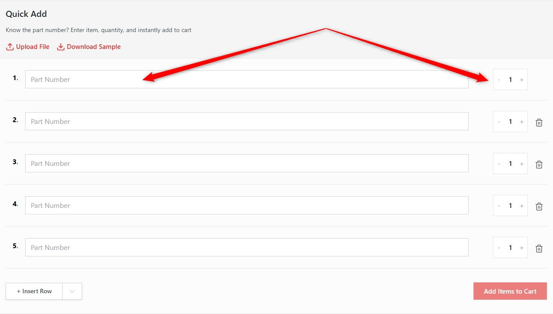
- Type your part number and quantity
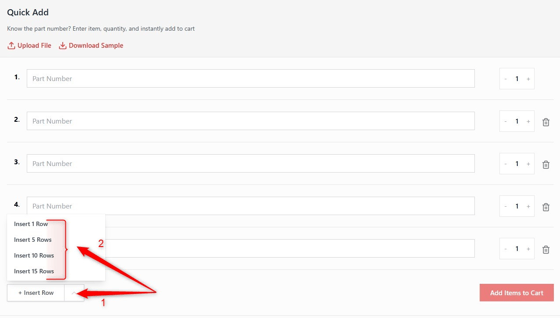
- If you need more lines, select the down arrow next to "**Insert Row**" and select the number of rows additional you need.
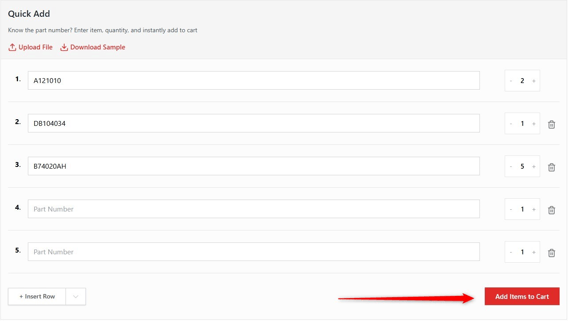
- When you listed your part numbers and quantities, select "**Add Items to Cart**"
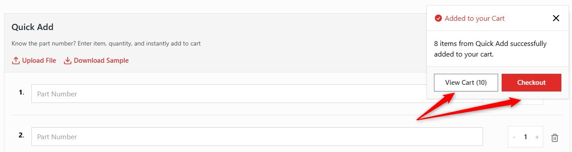
- Your items have been added to your cart. You can proceed to either "**View Cart**" or "**Checkout**"
**Quick Add Using Excel**
- Open new workbook in Excel
- In column A type your part numbers and column B type your quantities.
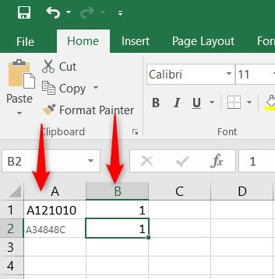
- When you are done, select the "**File**" tab
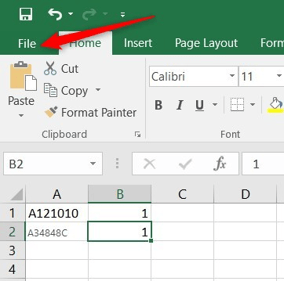
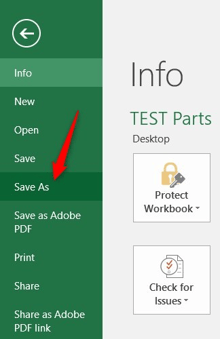
- Select "**Save As**"
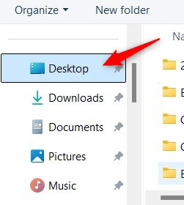
- Select where you would like to save it to Example: Desktop
- Name your file and select the file type and select "***CSV (COMMA DELIMITED) (\*.CSV)***"
- **NOTE: There are other CSV types listed, these are not the correct ones**
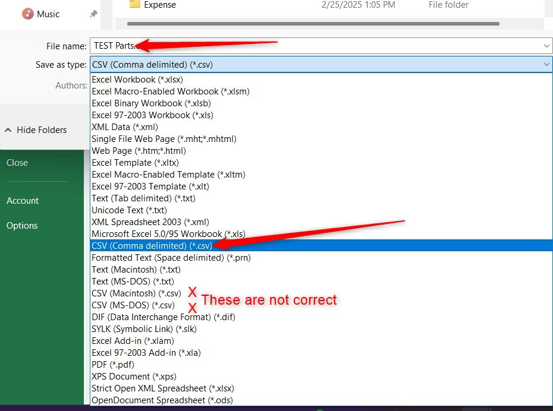
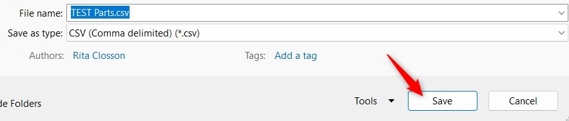
- Select "**Save**"
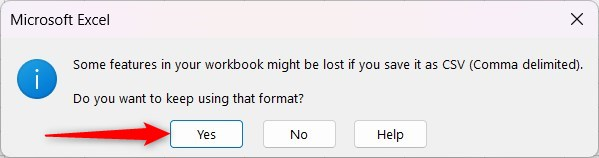
- You may get a message like below, select "**Yes**"
- You can continue to add to this file and upload it when you are ready.
- You can also download the sample file and type over the example part numbers and quantities and save it.
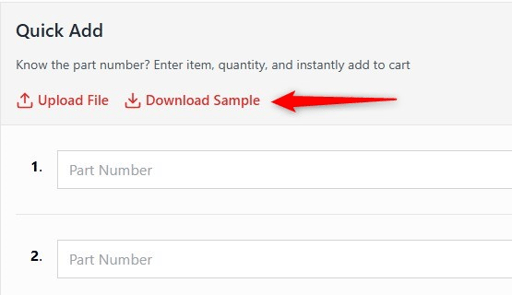
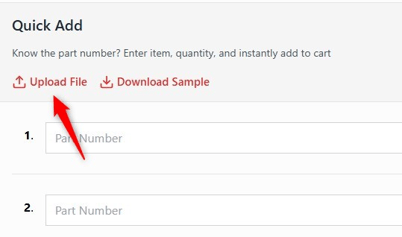
- To upload your file, select the "**Upload File**"
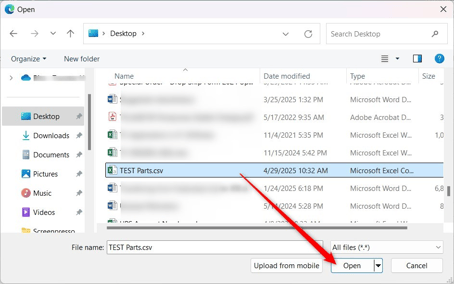
- Select your file and then select "**Open**"
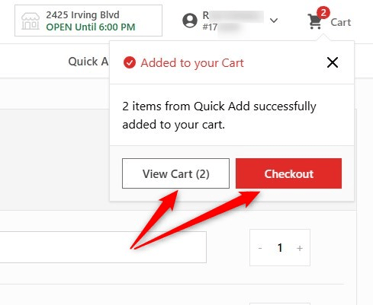
- Once it is complete, the notification will appear that your items have been added to your cart.
- You can either "**View Cart**" or "**Checkout**"
Need assistance? Contact Transend Support at [support@transend.us](mailto:support@transend.us)
- [Getting started](https://resources.transend.us/help-center/getting-started?hsLang=en#main-content)
- [Account Setup](https://resources.transend.us/help-center/getting-started?hsLang=en#account-setup)
- [System Connections](https://resources.transend.us/help-center/getting-started?hsLang=en#system-connections)
- [Account](https://resources.transend.us/help-center/account?hsLang=en#main-content)
- [Setup](https://resources.transend.us/help-center/account?hsLang=en#setup)
- [Guide](https://resources.transend.us/help-center/guide?hsLang=en#main-content)
- [Features](https://resources.transend.us/help-center/guide?hsLang=en#features)
- [General](https://resources.transend.us/help-center/general?hsLang=en#main-content)
- [Returns](https://resources.transend.us/help-center/general?hsLang=en#returns)
- [Warranty](https://resources.transend.us/help-center/general?hsLang=en#warranty)
- [Products](https://resources.transend.us/help-center/products?hsLang=en)
[](https://transend.us/)
Simplifying complex vehicle repair to keep the world moving.
[7350 Young Drive Walton Hills, Ohio, 44146](https://maps.app.goo.gl/VDeUiM8Yxqfmd3C89)
[mailto:TransendSupport@transend.us](mailto:TransendSupport@transend.us)
© NexaMotion Group, LLC. All rights reserved.